SrcNexus - Mobile Code Editor for Android

SrcNexus

SrcNexus is a mobile code editor for Android that lets you write, debug & deploy full websites directly from your phone — available now on Google Play.

Build websites and web apps on the go with a powerful HTML, CSS & JavaScript editor, built-in terminal, real-time preview, console debugger, and one-click publishing. All on your Android device, no laptop needed.

HTMLCSSJavaScriptReactNode.jsPython

You can also install SrcNexus – mobile code editor on the Google Play Store by searching for "SrcNexus Code Editor".

100% Free
No Laptop Needed
Publish Instantly
Android App

Everything You Need to Code on Mobile

SrcNexus packs desktop-grade developer tools into a mobile app. From writing code to debugging to deploying, here's what makes it the most complete code editor for Android.

Built-in Terminal

Run bash commands, npm scripts, Python, Node.js, and anything else that runs on Linux. SrcNexus connects to Termux to give you a full Linux terminal experience on Android. Install packages, run servers, compile code, and manage your projects with the command line.
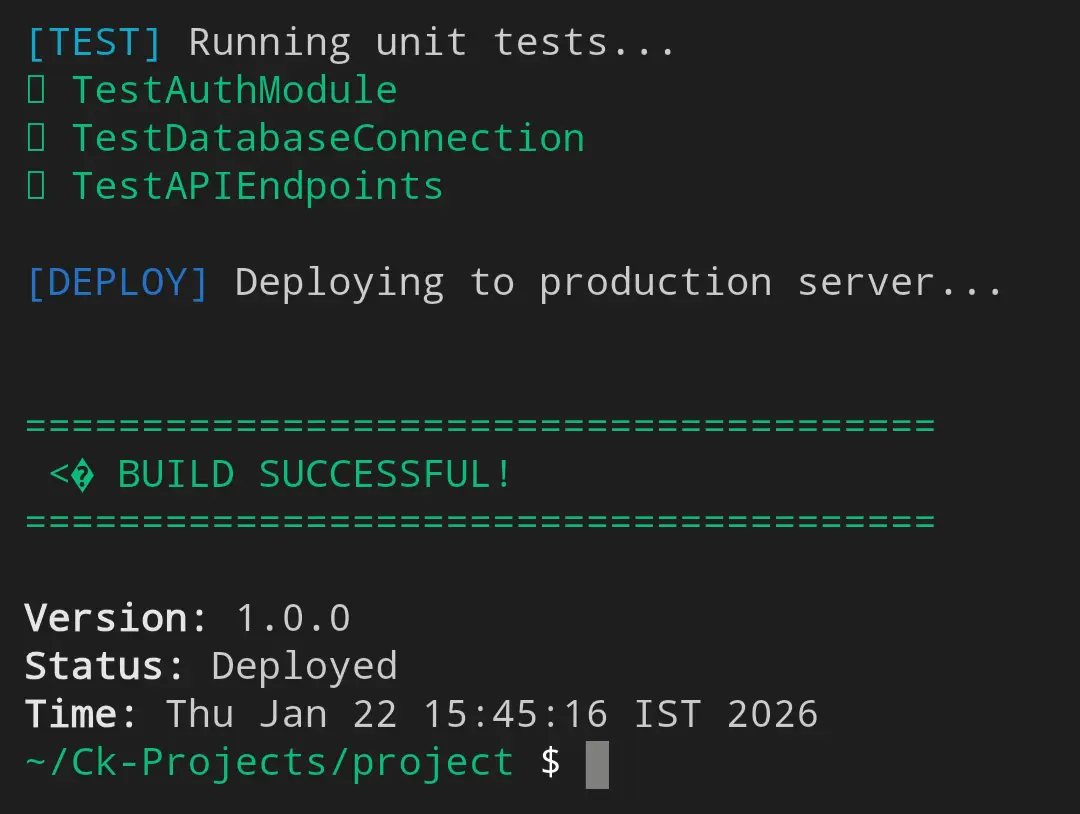
Built-in Terminal - SrcNexus Feature

Website Source Code Viewer

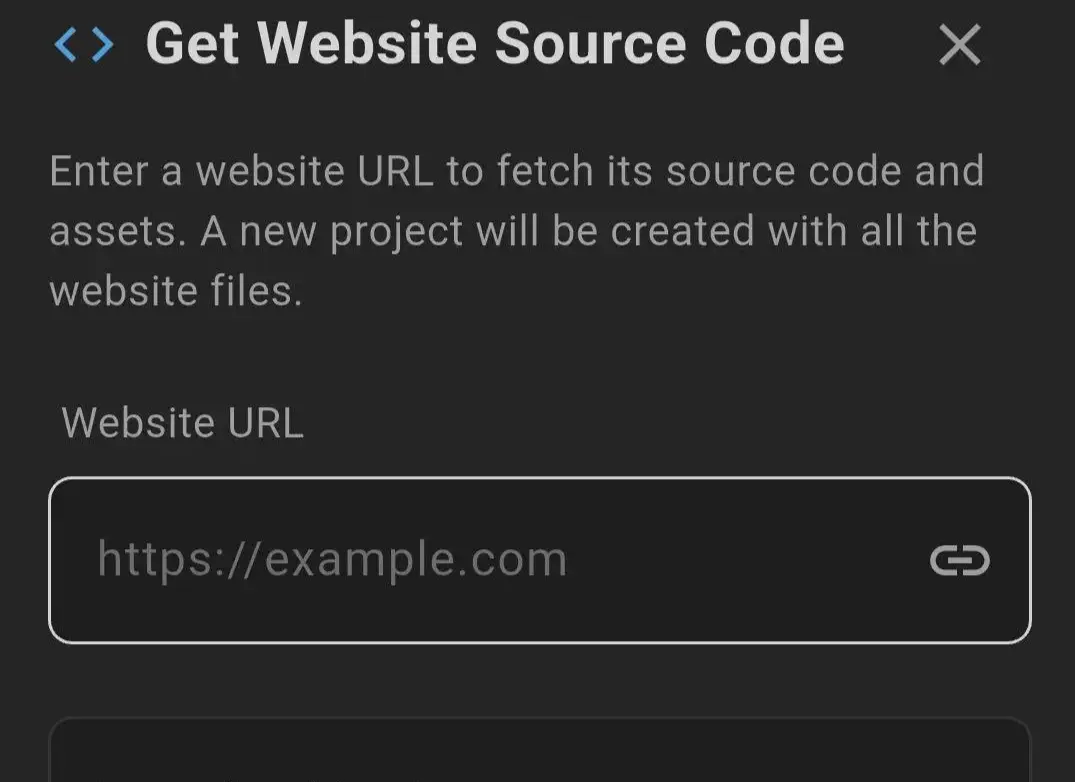
Instantly extract and view the complete HTML, CSS, and JavaScript source code of any website. Learn from real websites, study how pages are structured, and use the code as a reference for your own projects.

Website Source Code Viewer - SrcNexus Feature

Console & Debugging Tools

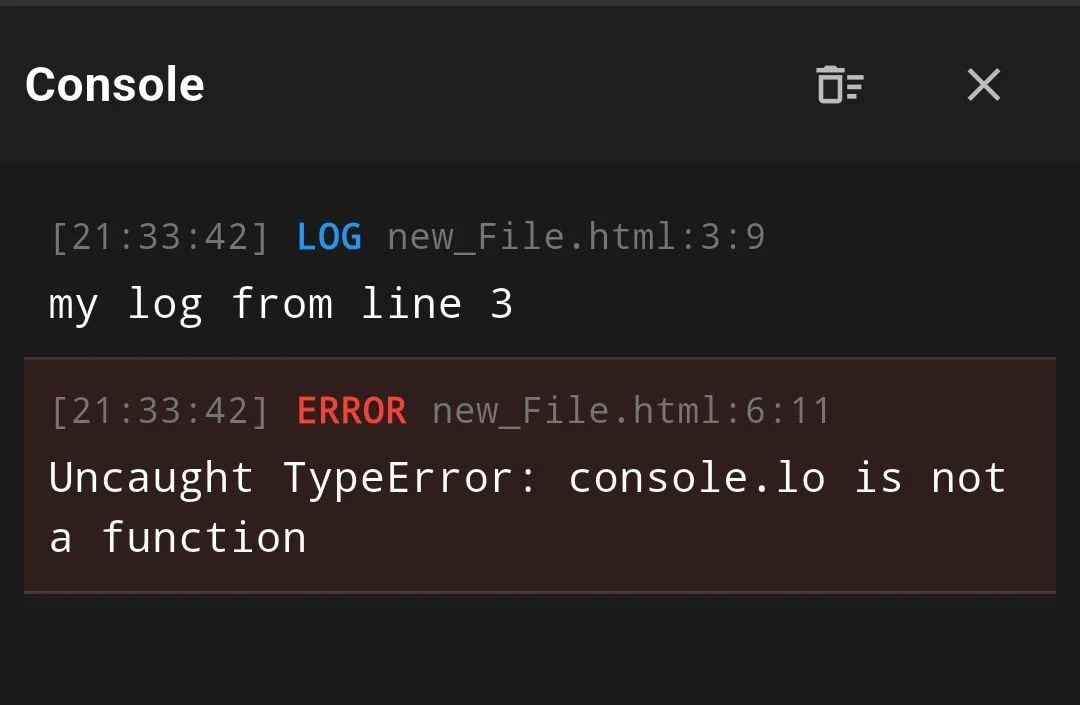
Monitor console.log output, catch errors, and debug your JavaScript in real-time, similar to Chrome DevTools. See warnings, errors, and info messages as your code runs without needing a desktop browser.

Console & Debugging Tools - SrcNexus Feature

Storage Inspector

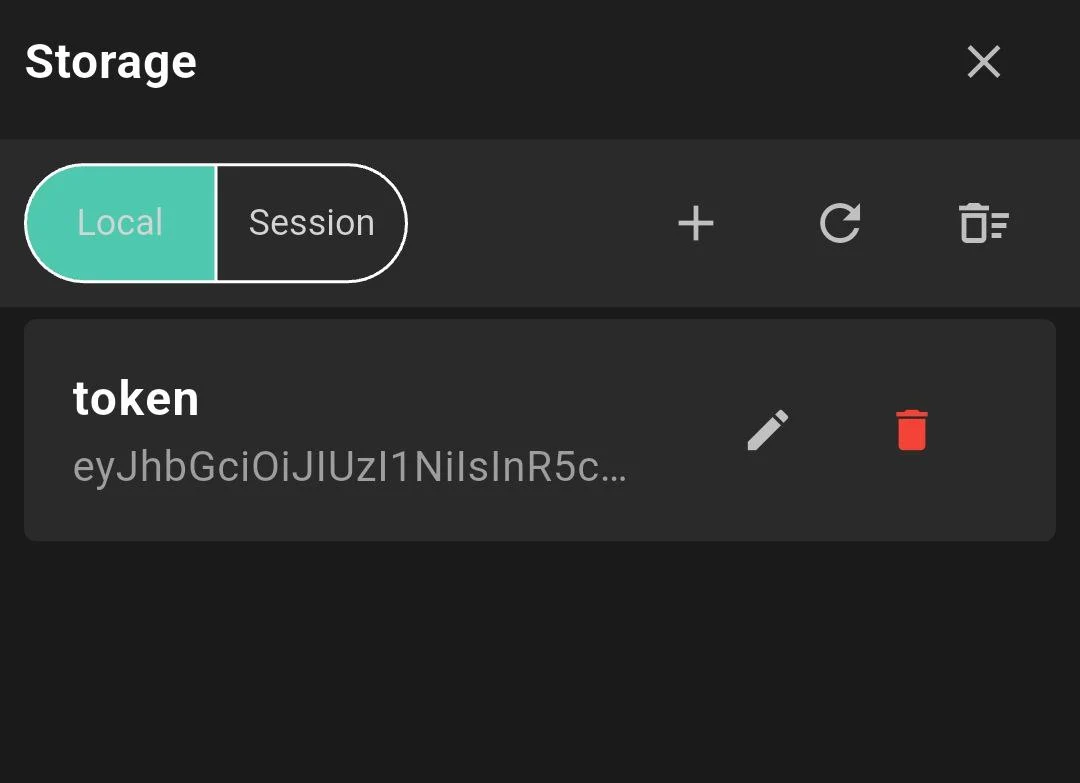
View and manage your web app's localStorage and sessionStorage. Inspect stored data, debug state management issues, and clear storage directly from the built-in storage manager panel.

Storage Inspector - SrcNexus Feature

One-Click Publish & Deploy

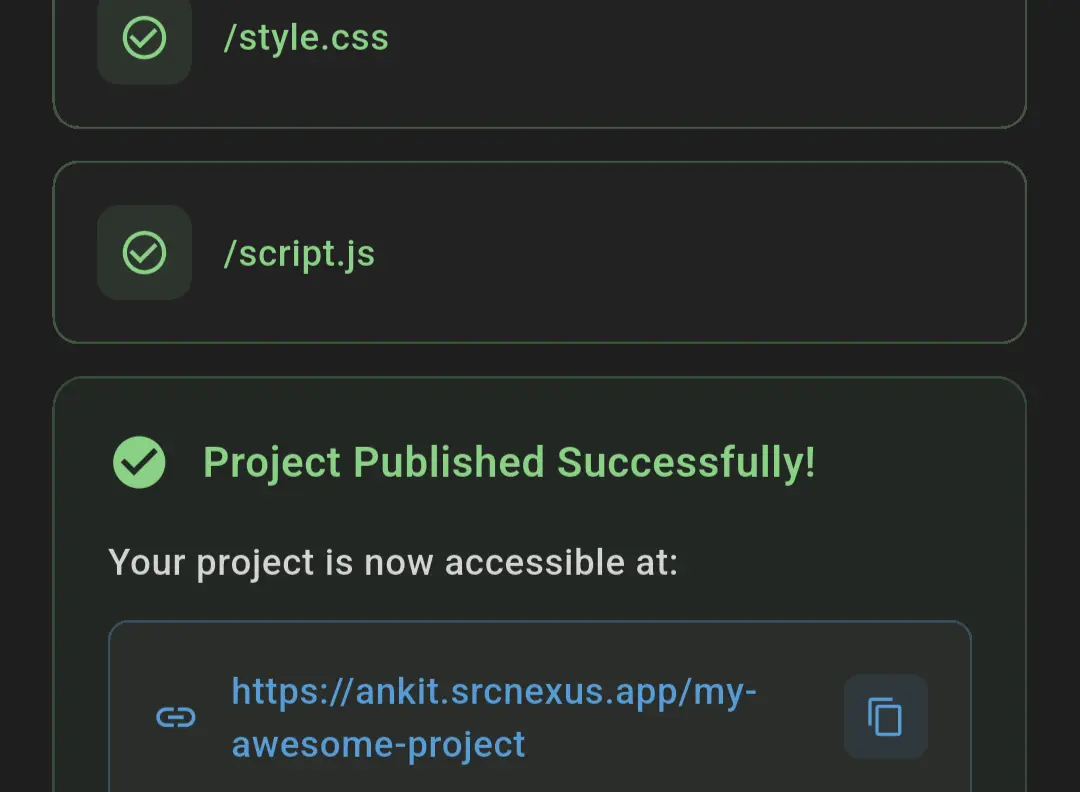
Deploy your website or web app to a live public URL with a single tap. Your project goes live at username.srcnexus.app/project-name and you can share it with anyone instantly. Supports custom redirects and SPA routing.

One-Click Publish & Deploy - SrcNexus Feature

Network Request Monitor

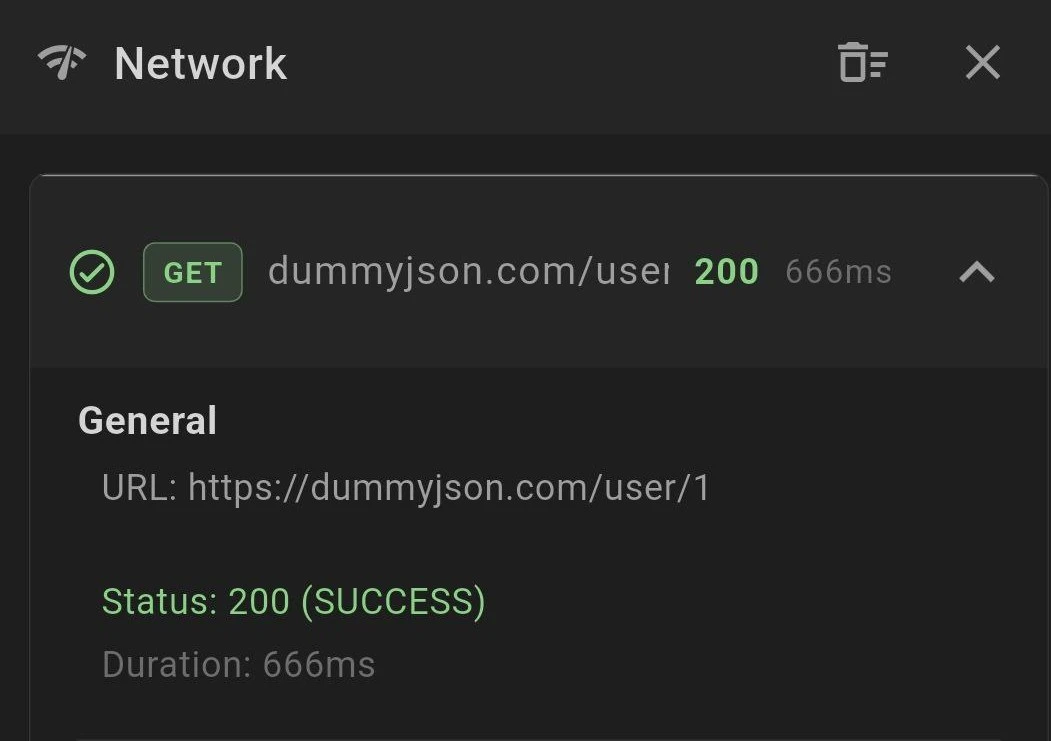
Track all HTTP requests your web app makes in real-time. See request URLs, response status codes, headers, and payload data. Perfect for debugging API calls, fetch requests, and network issues on mobile.

Network Request Monitor - SrcNexus Feature

How SrcNexus Works

Go from zero to a published website in four simple steps, all from your Android phone.

01

Download & Create a Project

Install SrcNexus from the Google Play Store for free. Open the app, tap 'New Project', and choose Web Project (pre-configured with HTML, CSS, and JS files) or Empty Project to start from scratch. Your project is ready in seconds.

02

Write & Edit Code

Use the built-in code editor with syntax highlighting to write HTML, CSS, and JavaScript. Organize files and folders, create new files, and switch between tabs. The editor is optimized for mobile with a developer-friendly keyboard toolbar.

03

Preview & Debug in Real-Time

Tap the Run button to instantly preview your website. Use the console to check for JavaScript errors, inspect network requests to debug API calls, and manage storage data without leaving the app.

04

Publish to a Live URL

When you're ready, tap Publish to deploy your project to a live URL at username.srcnexus.app/project-name. Share the link with anyone. Your website is now live on the internet, published directly from your phone.

Built for Developers Who Code on Mobile

Whether you're a student learning web development or a professional building client projects, SrcNexus adapts to your workflow.

Students & Beginners

Learning HTML, CSS, and JavaScript? SrcNexus is the easiest way to start coding without a laptop. Write code, see results instantly, and build your first website right from your phone. Perfect for computer science students and self-learners.

Learn to CodeNo LaptopBeginner Friendly

Freelancers & Remote Workers

Make quick fixes, prototype ideas, or push updates while on the go. SrcNexus gives you a full development environment in your pocket. Deploy client demos, test changes, and share live URLs without opening your laptop.

Quick FixesClient DemosOn-the-Go

Web Developers

With Termux integration, you can run anything that works on Linux: Node.js, Python, C/C++, Go, Ruby, PHP, and more. Use the terminal for npm, git, pip, or any CLI tool. The built-in preview handles HTML/CSS/JS, while the terminal opens up every other language.

ReactNode.jsTerminal

Portfolio Builders

Create and publish your developer portfolio directly from your phone. Build your personal site with HTML/CSS/JS, deploy it to username.srcnexus.app, and share a live link with potential employers or clients within minutes.

PortfolioLive URLDeploy Instantly
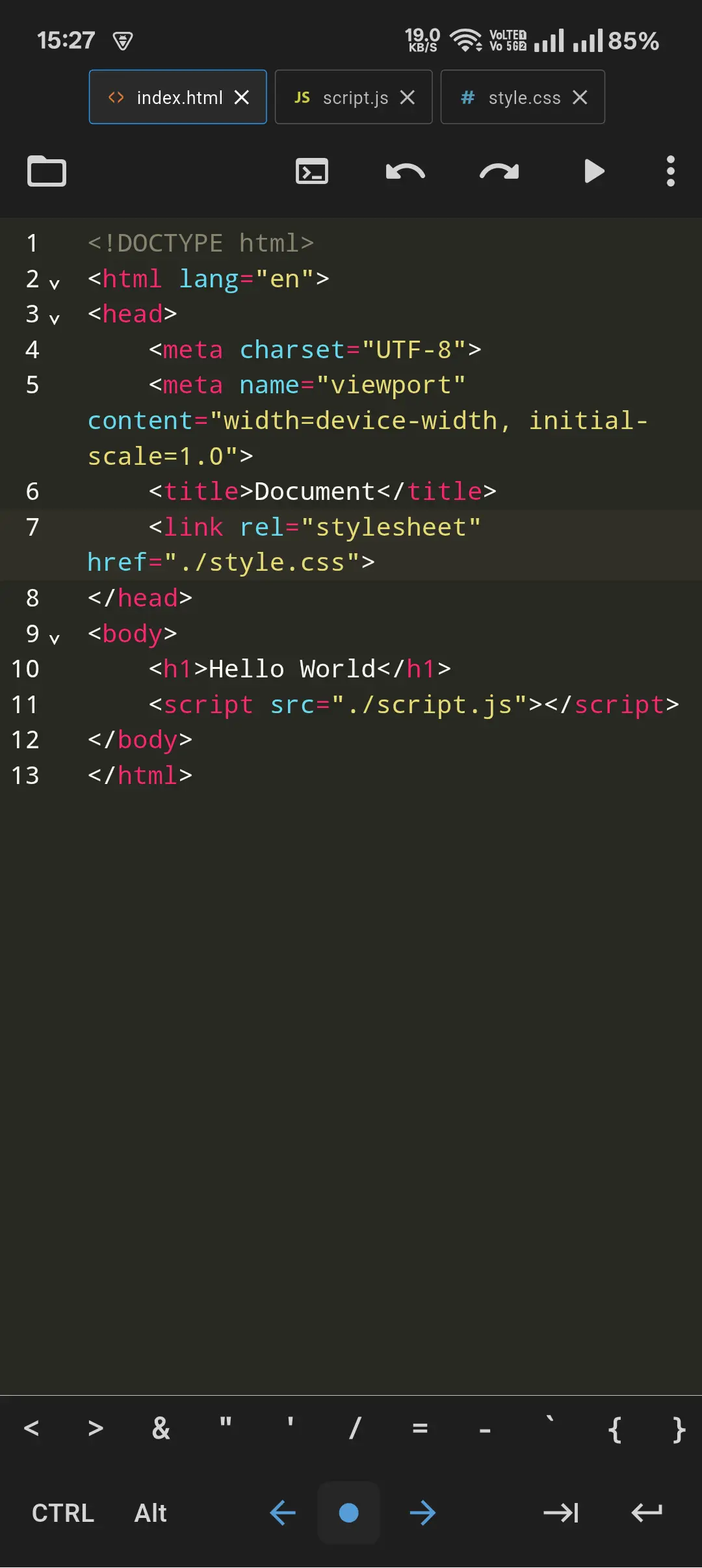
SrcNexus Code Editor App Screenshot - Mobile IDE for Android

A Complete Development EnvironmentIn Your Pocket

SrcNexus gives you everything you need to build and deploy websites from your Android device. No desktop required. Write code, test instantly, debug with real tools, and publish to a live URL.

HTML, CSS, and JavaScript get a built-in preview. Through the integrated Termux terminal, you can run anything: Python, Node.js, React, C/C++, Go, and more. Build anything from a simple portfolio to a full web app, all on your phone.

GET IT ON
Google Play

Mobile-First Design

Optimized touch interface with developer keyboard toolbar for fast coding on small screens

Full Code Editor

Syntax highlighting, file tabs, folder management, and project organization built-in

Instant Preview

Run your HTML/CSS/JS code and see results immediately without external tools

DevTools on Mobile

Console, network monitor, and storage inspector. Like Chrome DevTools, but for your phone

Export & Backup

Export all projects as .zip, import from backups, and share project code easily

Free Forever

100% free on Google Play with no paywalls. All features available from day one

Frequently Asked Questions

Everything you need to know about SrcNexus code editor.

SrcNexus is a free mobile code editor for Android that lets you write, preview, debug, and publish HTML, CSS, and JavaScript projects directly from your phone. It includes a built-in terminal, console debugger, network monitor, storage inspector, and one-click deployment to a live URL.

Yes, SrcNexus is completely free to download and use from the Google Play Store. You can create unlimited projects, use all built-in developer tools, and publish your websites to live URLs at no cost.

SrcNexus has a built-in preview for HTML, CSS, and JavaScript. Through the Termux terminal integration, you can run virtually any language that works on Linux: Python, Node.js, C/C++, Go, Ruby, PHP, Rust, and more. You can also build React apps using Vite, run Flask or Express servers, and use any CLI-based toolchain.

Yes! Since SrcNexus has full Termux terminal access, you can run any framework that works on Linux. Create a React project with Vite, install dependencies with npm, run a dev server with hot reload, and build for production. The same goes for Vue, Angular, Svelte, or any other framework you prefer.

Publishing is simple: open your project, tap the menu (three dots), and select 'Publish'. Your website will be deployed to a live URL in the format username.srcnexus.app/project-name. You can share this link with anyone. SrcNexus also supports custom redirect rules and SPA routing.

Yes, SrcNexus has a built-in terminal that connects through Termux (a Linux terminal emulator for Android). This lets you run bash commands, npm scripts, git operations, Python scripts, and any CLI tool. It gives you a full command-line experience on your phone.

You can write and edit code offline. The code editor, file manager, and project creation all work without an internet connection. However, features like publishing, terminal package installation, and preview URL loading require an internet connection.

Currently SrcNexus is available only on Android through the Google Play Store. An iOS version is not yet available, but it is being considered for future development.

SrcNexus stands out with its integrated developer toolset: built-in terminal access, real-time console debugging, network request monitoring, storage inspection, and one-click publishing to live URLs. Most mobile code editors only offer basic editing. SrcNexus gives you a full development workflow.

Yes, SrcNexus lets you export all your projects as a single .zip file for backup. You can also import projects from .zip files. Additionally, you can share individual project code without exporting everything.

Start Coding on Your Phone Today

Join thousands of developers who build, debug, and deploy websites from their Android device with SrcNexus. Download the app for free and publish your first project in minutes.

Download Free on Google Play

Available for Android devices. No payment required.